2025-07-03 11:40:55 +08:00
|
|
|
|

|
2023-11-29 18:17:07 +08:00
|
|
|
|
|
2025-07-03 11:40:55 +08:00
|
|
|
|
[](https://console.algora.io/org/triggerdotdev/bounties?status=open) [](https://console.algora.io/org/triggerdotdev/bounties?status=completed)
|
2023-11-29 18:17:07 +08:00
|
|
|
|
|
2025-07-03 11:40:55 +08:00
|
|
|
|
# 由 Trigger.dev 提供
|
2023-11-29 18:17:07 +08:00
|
|
|
|
|
2025-07-03 11:40:55 +08:00
|
|
|
|
JSON Hero 由 Trigger.dev 团队创建和维护。使用 Trigger.dev,您可以从 API、定时或按需触发工作流。我们让 API 调用变得简单,为您处理身份验证,并且您可以添加持久延迟,即使服务器重启也能保持有效。
|
2023-11-29 18:17:07 +08:00
|
|
|
|
|
|
|
|
|
|
# JSON Hero
|
|
|
|
|
|
|
2025-07-03 11:40:55 +08:00
|
|
|
|
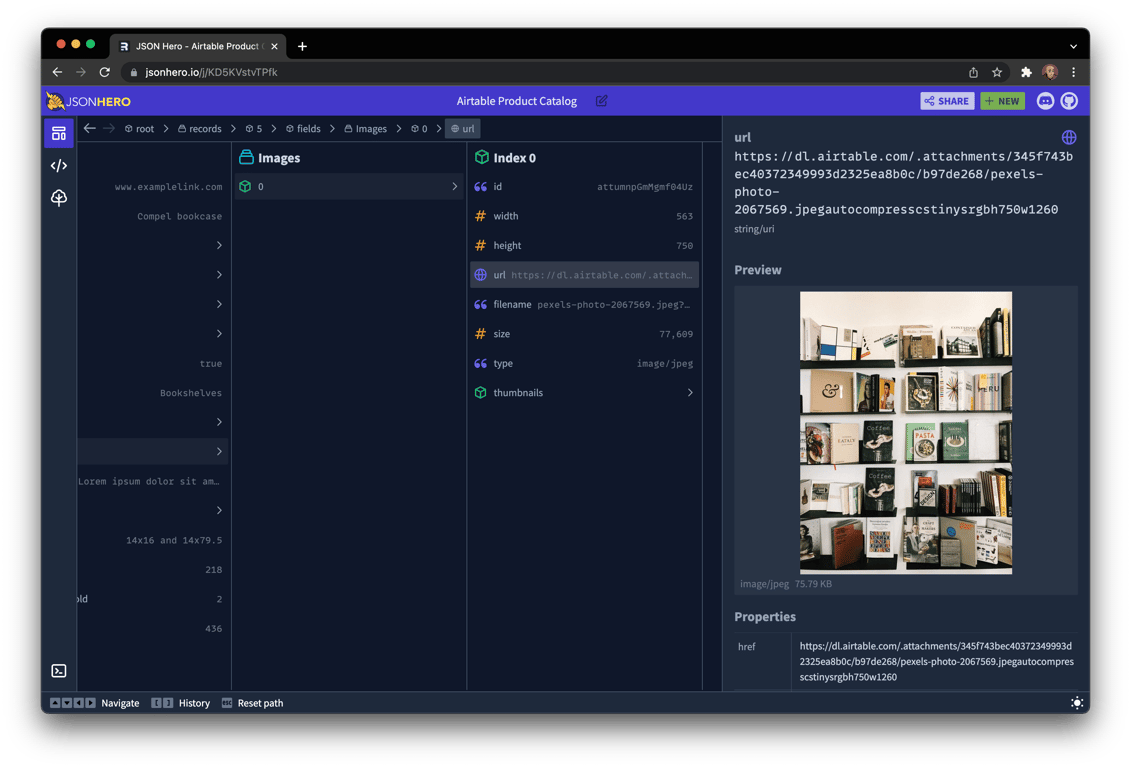
JSON Hero 通过提供一个干净且美观的界面以及额外功能,使阅读和理解 JSON 文件变得容易。
|
2023-11-29 18:17:07 +08:00
|
|
|
|
|
2025-07-03 11:40:55 +08:00
|
|
|
|
* 以你喜欢的任何方式查看 JSON:列视图、树视图、编辑器视图,等等。
|
|
|
|
|
|
* 自动推断字符串的内容并提供有用的预览
|
|
|
|
|
|
* 生成一个推断出的 JSON 方案,可用于验证你的 JSON
|
|
|
|
|
|
* 快速扫描相关值以检查边缘情况
|
|
|
|
|
|
* 搜索你的 JSON 文件(包括键和值)
|
|
|
|
|
|
* 键盘可访问
|
|
|
|
|
|
* 带有路径支持的可分享 URL
|
2023-11-29 18:17:07 +08:00
|
|
|
|
|
|
|
|
|
|
|
|
|
|
|
|
|
2025-07-03 11:40:55 +08:00
|
|
|
|
## 功能
|
|
|
|
|
|
|
|
|
|
|
|
### 发送给 JSON 英雄
|
|
|
|
|
|
|
|
|
|
|
|
以多种方式将 JSON 发送到 JSON Hero
|
|
|
|
|
|
|
|
|
|
|
|
* 访问 [jsonhero.io](https://jsonhero.io),并拖放 JSON 文件,或在提供的表单中粘贴 JSON 或 JSON URL
|
|
|
|
|
|
|
|
|
|
|
|
* 包含 JSON 载荷的 Base64 编码字符串:[jsonhero.io/new?j=eyAiZm9vIjogImJhciIgfQ==](https://jsonhero.io/new?j=eyAiZm9vIjogImJhciIgfQ==)
|
|
|
|
|
|
|
|
|
|
|
|
* 包含指向 `new` 端点的 JSON URL:[jsonhero.io/new?url=https://jsonplaceholder.typicode.com/todos/1](https://jsonhero.io/new?url=https://jsonplaceholder.typicode.com/todos/1)
|
|
|
|
|
|
|
|
|
|
|
|
* 安装 [VS Code 扩展](https://marketplace.visualstudio.com/items?itemName=JSONHero.jsonhero-vscode) ,然后从 VS Code 打开 JSON
|
|
|
|
|
|
|
|
|
|
|
|
* Raycast 用户?请访问我们的扩展 [这里](https://www.raycast.com/maverickdotdev/open-in-json-hero)
|
|
|
|
|
|
|
|
|
|
|
|
* 使用非官方 API:
|
|
|
|
|
|
|
|
|
|
|
|
* 向 `jsonhero.io/api/create.json` 发送一个 `POST` 请求,并附带以下 JSON 体:
|
|
|
|
|
|
|
|
|
|
|
|
```json
|
|
|
|
|
|
{
|
|
|
|
|
|
"title": "test 123",
|
|
|
|
|
|
"content": { "foo": "bar" },
|
|
|
|
|
|
"readOnly": false, // this is optional, will make it so the document title cannot be edited or document cannot be deleted
|
|
|
|
|
|
"ttl": 3600 // this will expire the document after 3600 seconds, also optional
|
|
|
|
|
|
}
|
|
|
|
|
|
```
|
|
|
|
|
|
|
|
|
|
|
|
JSON 响应如下:
|
|
|
|
|
|
|
|
|
|
|
|
```json
|
|
|
|
|
|
{
|
|
|
|
|
|
"id": "YKKduNySH7Ub",
|
|
|
|
|
|
"title": "test 123",
|
|
|
|
|
|
"location": "https://jsonhero.io/j/YKKduNySH7Ub"
|
|
|
|
|
|
}
|
|
|
|
|
|
```
|
|
|
|
|
|
|
|
|
|
|
|
|
|
|
|
|
|
### 列视图
|
|
|
|
|
|
|
|
|
|
|
|
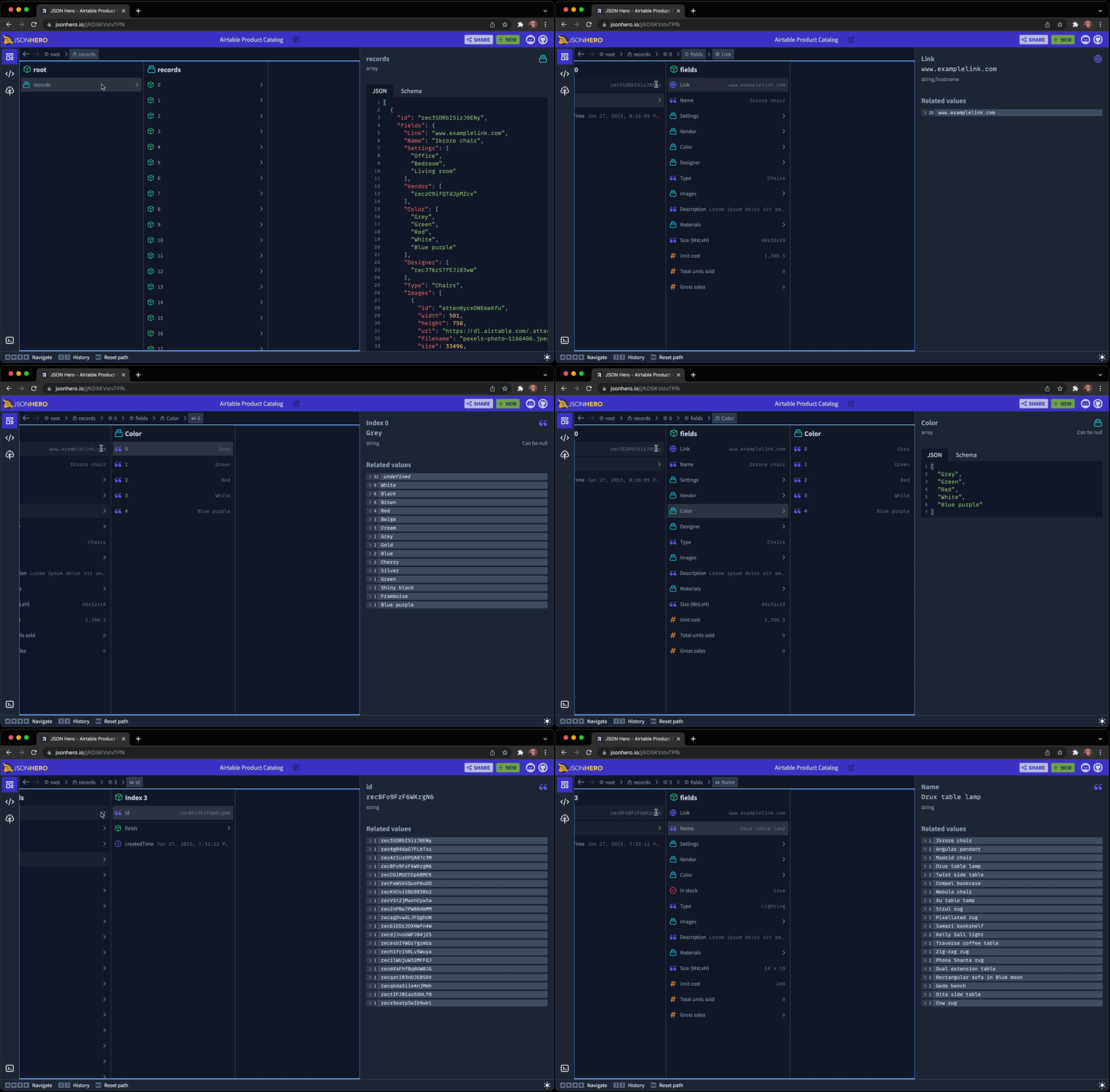
列视图借鉴了 macOS Finder 的设计,是一种浏览 JSON 文档的新方式。
|
2023-11-29 18:17:07 +08:00
|
|
|
|
|
|
|
|
|
|
|
|
|
|
|
|
|
2025-07-03 11:40:55 +08:00
|
|
|
|
它具有你所期望的所有功能:键盘导航、路径栏、历史记录。
|
2023-11-29 18:17:07 +08:00
|
|
|
|
|
2025-07-03 11:40:55 +08:00
|
|
|
|
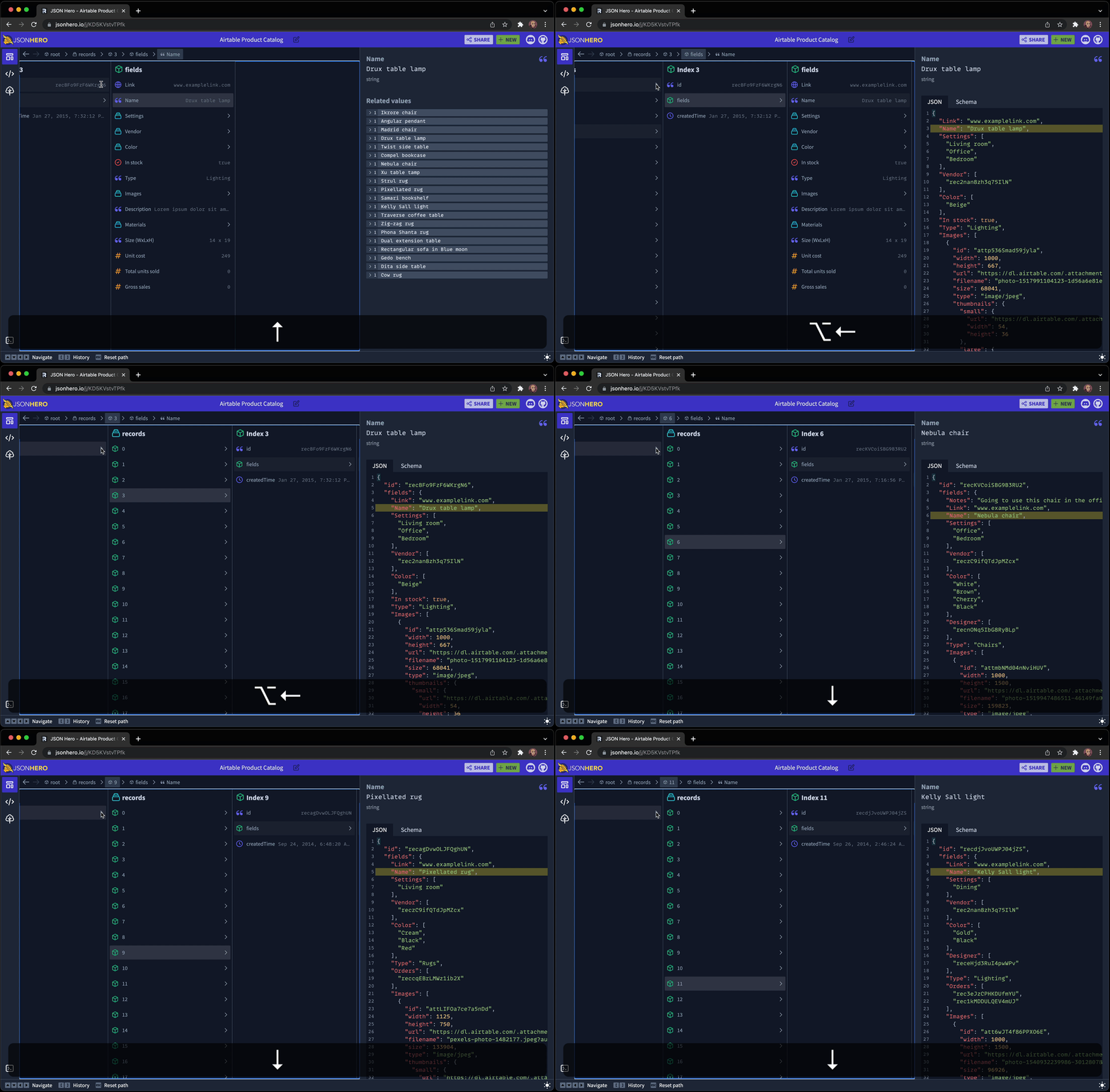
它还具有一项便捷的功能,允许你“保持”一个后代的选择,并向上遍历层次结构,然后在不同兄弟节点之间移动并查看该路径下找到的不同值。很难用语言描述,但这里有一个动画来帮助演示:
|
2023-11-29 18:17:07 +08:00
|
|
|
|
|
|
|
|
|
|
|
|
|
|
|
|
|
2025-07-03 11:40:55 +08:00
|
|
|
|
如你所见,在移动到父节点时按住 `Option`(或在 Windows 上按住 `Alt` 键),可以保持文档的部分选择,并在上下文中显示这部分。然后你可以在数组项之间遍历,并在深层次结构变化时比较选择项的值。
|
2023-11-29 18:17:07 +08:00
|
|
|
|
|
2025-07-03 11:40:55 +08:00
|
|
|
|
### 编辑器视图
|
2023-11-29 18:17:07 +08:00
|
|
|
|
|
2025-07-03 11:40:55 +08:00
|
|
|
|
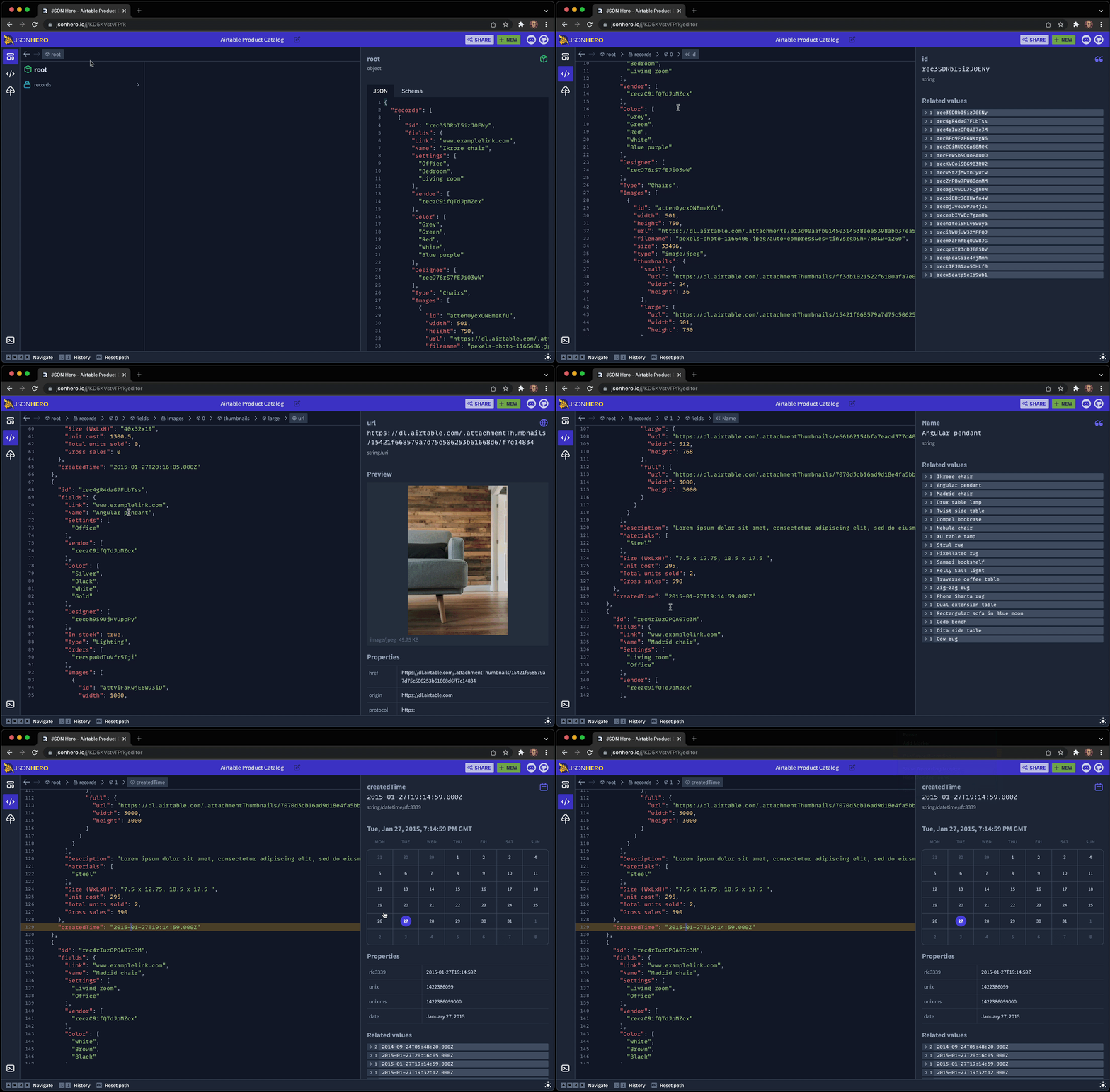
在编辑器中查看整个 JSON 文档,但在移动文档时仍然保留侧边栏提供的漂亮预览和相关值:
|
2023-11-29 18:17:07 +08:00
|
|
|
|
|
|
|
|
|
|
|
|
|
|
|
|
|
2025-07-03 11:40:55 +08:00
|
|
|
|
### 树状视图
|
2023-11-29 18:17:07 +08:00
|
|
|
|
|
2025-07-03 11:40:55 +08:00
|
|
|
|
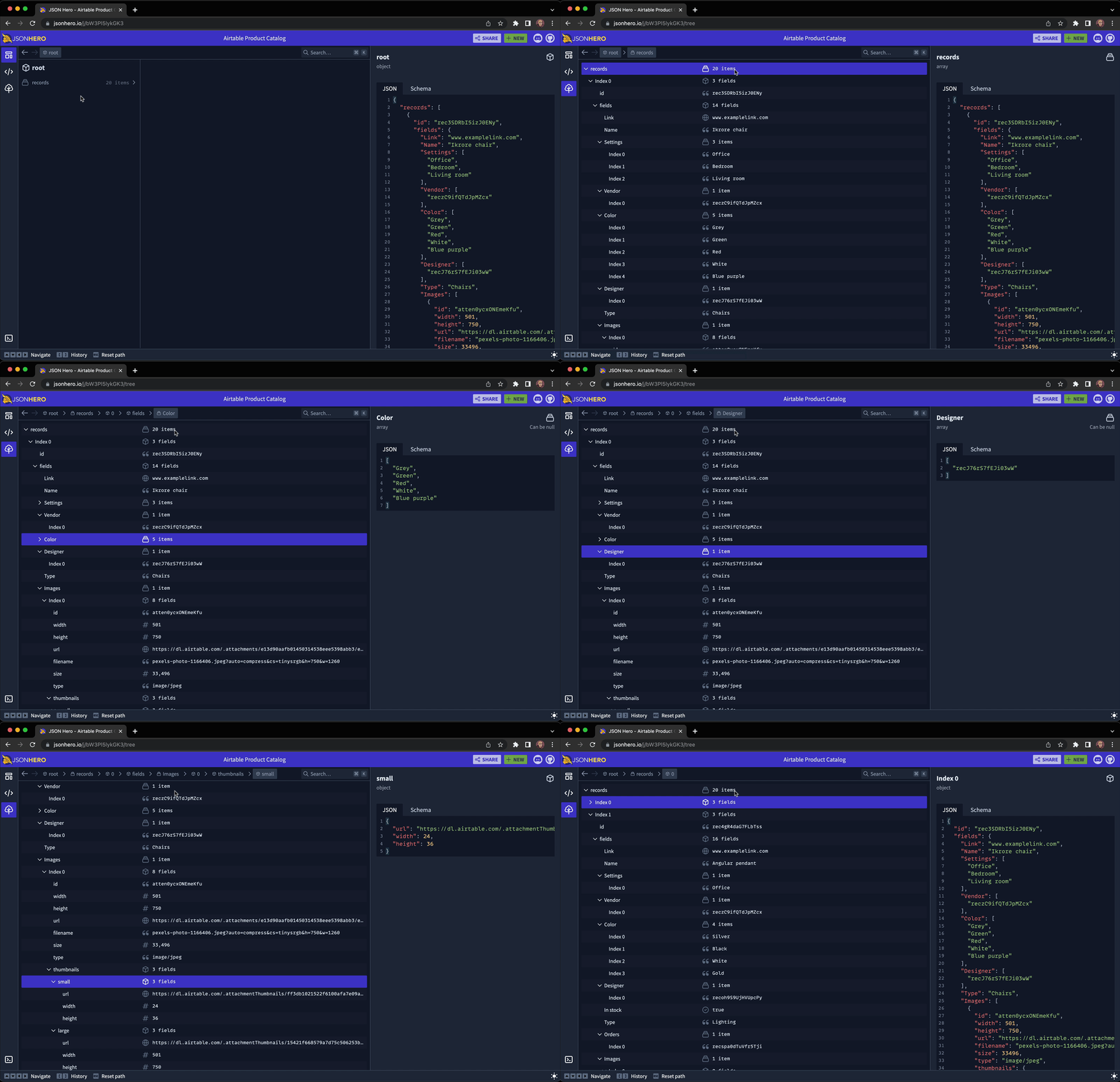
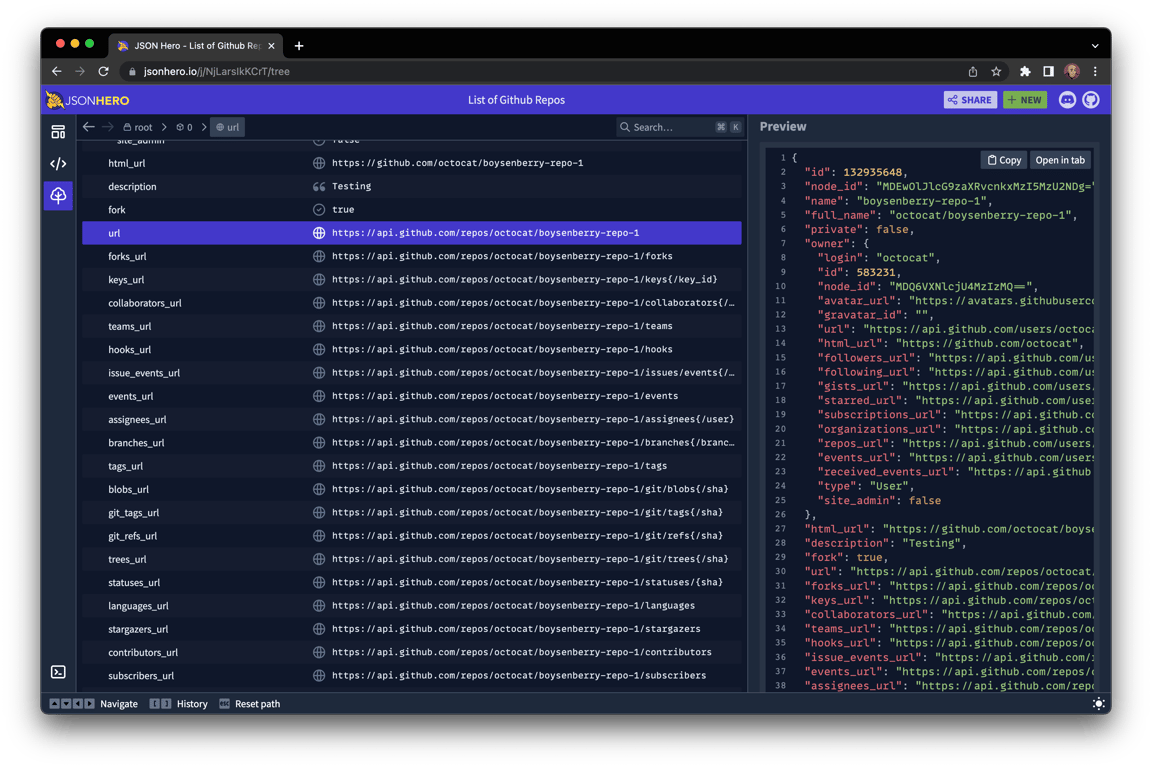
使用传统的树状视图遍历您的 JSON 文档,具有可折叠部分和键盘快捷键。同时保持漂亮的预览:
|
2023-11-29 18:17:07 +08:00
|
|
|
|
|
|
|
|
|
|
|
|
|
|
|
|
|
2025-07-03 11:40:55 +08:00
|
|
|
|
### 搜索
|
2023-11-29 18:17:07 +08:00
|
|
|
|
|
2025-07-03 11:40:55 +08:00
|
|
|
|
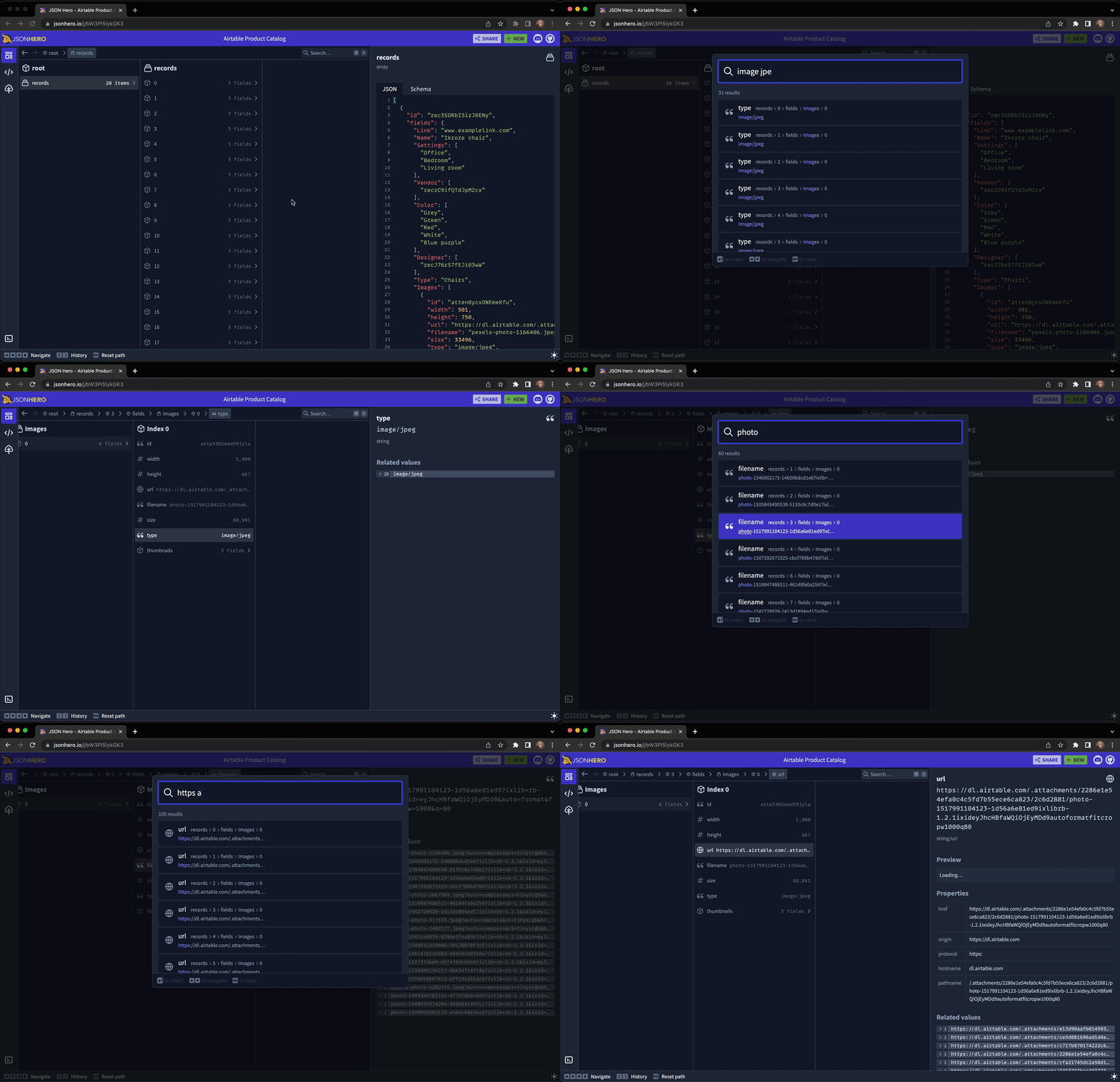
快速打开搜索面板,并在毫秒内对整个 JSON 文件进行模糊搜索。可以在键名、键路径、值,甚至漂亮的格式化值中进行搜索(例如,搜索 \``"Dec"`\` 将找到十二月的日期时间字符串)。
|
2023-11-29 18:17:07 +08:00
|
|
|
|
|
|
|
|
|
|
|
|
|
|
|
|
|
2025-07-03 11:40:55 +08:00
|
|
|
|
### 内容预览
|
2023-11-29 18:17:07 +08:00
|
|
|
|
|
2025-07-03 11:40:55 +08:00
|
|
|
|
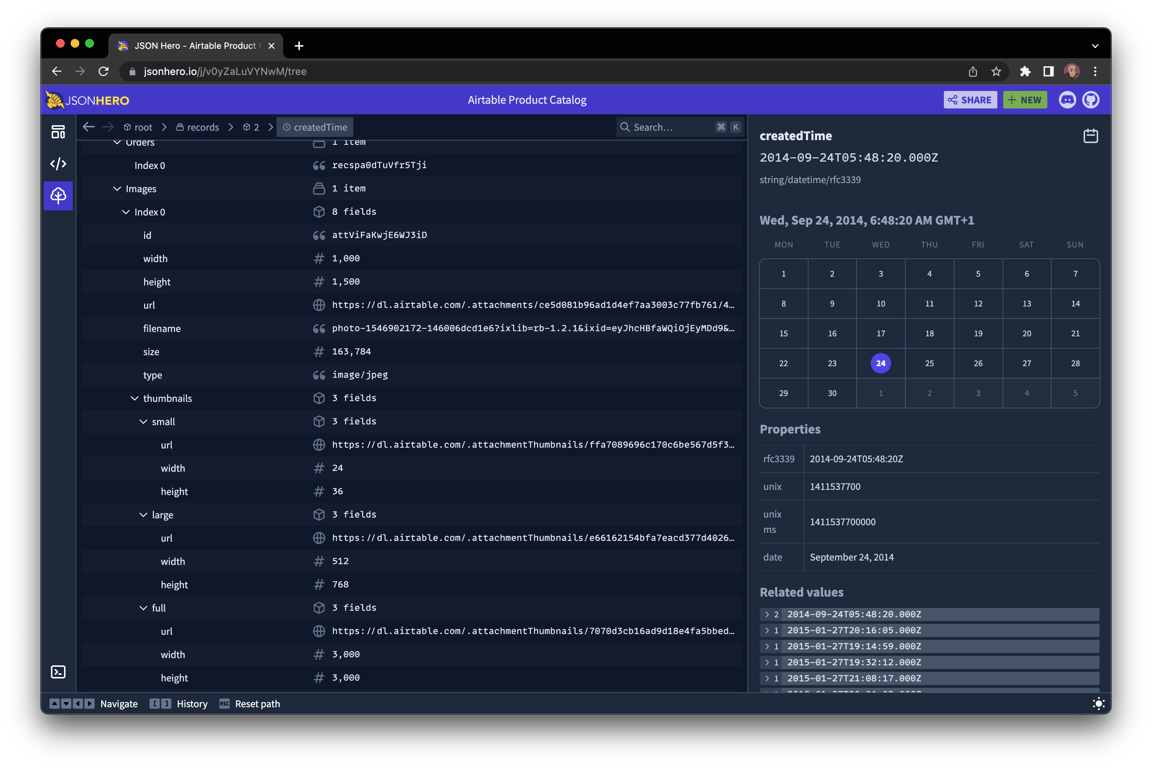
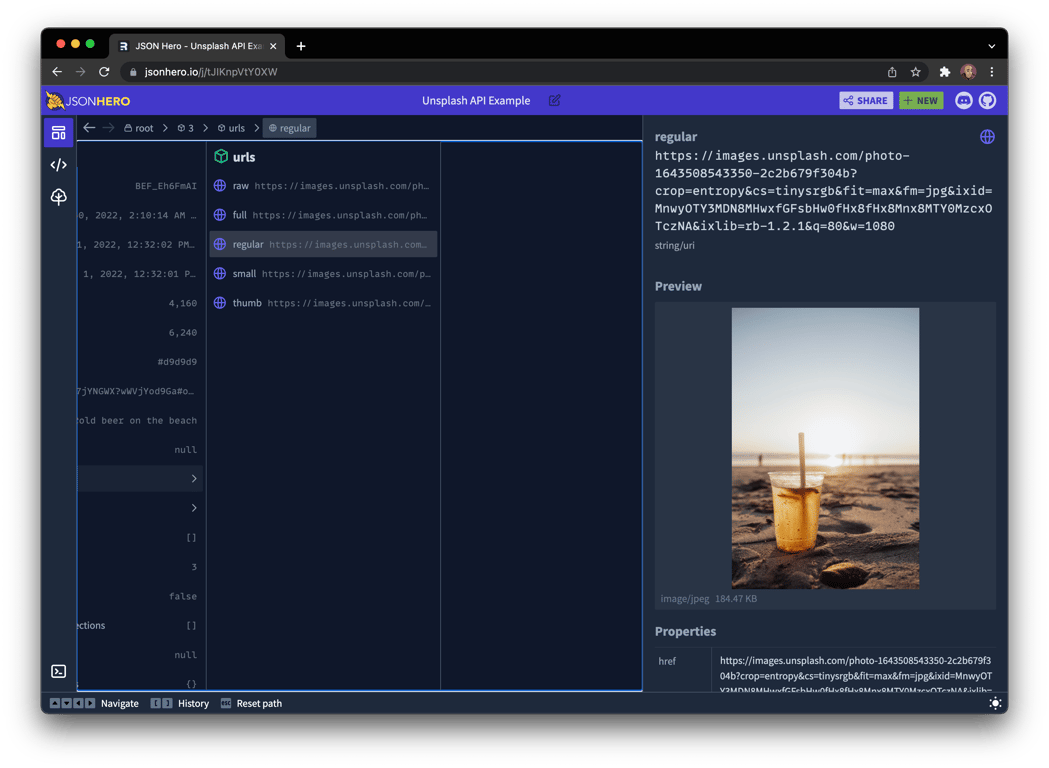
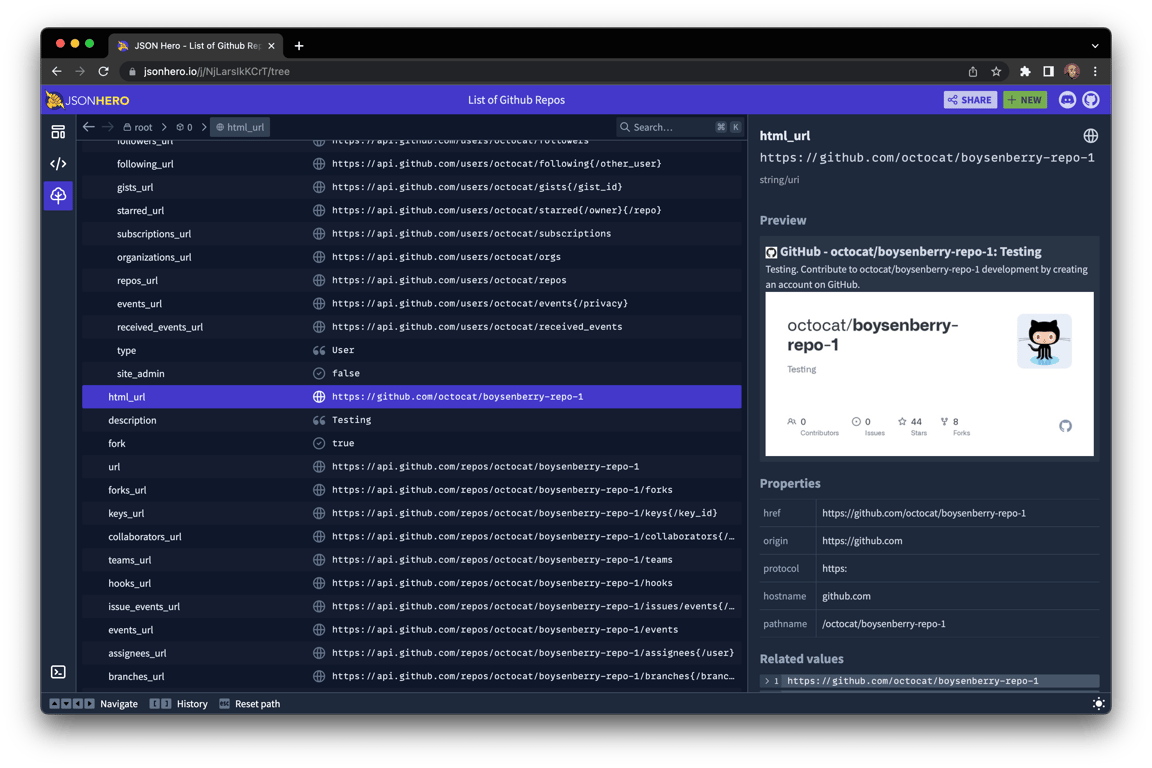
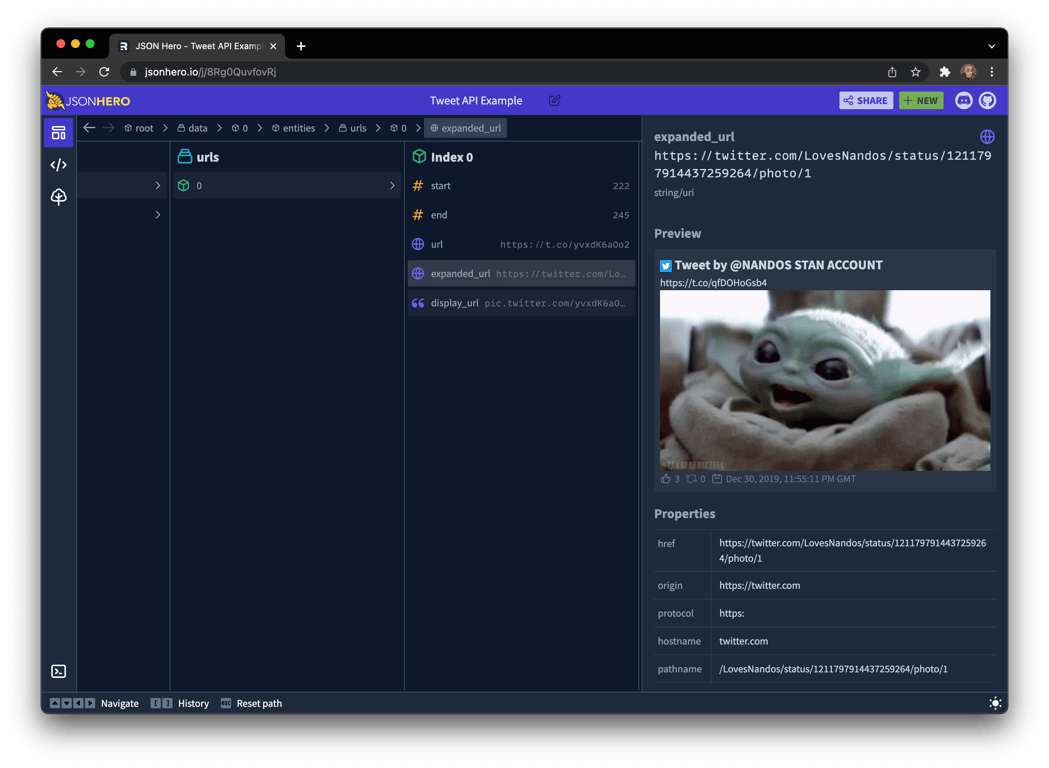
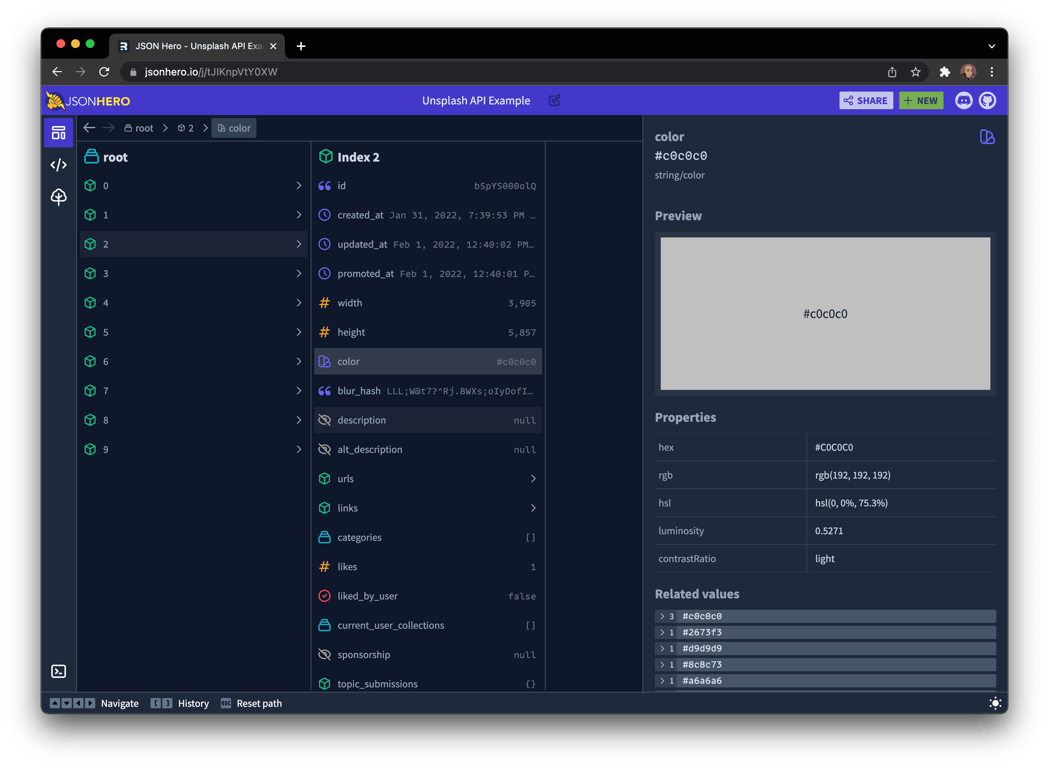
JSON Hero 会自动推断字符串的内容,并提供所选值的有用预览和属性。这就是 JSON 的“展示而不是讲述”:
|
2023-11-29 18:17:07 +08:00
|
|
|
|
|
2025-07-03 11:40:55 +08:00
|
|
|
|
#### 日期和时间
|
2023-11-29 18:17:07 +08:00
|
|
|
|
|
|
|
|
|
|
|
|
|
|
|
|
|
2025-07-03 11:40:55 +08:00
|
|
|
|
#### 图片 URL
|
2023-11-29 18:17:07 +08:00
|
|
|
|
|
|
|
|
|
|
|
|
|
|
|
|
|
2025-07-03 11:40:55 +08:00
|
|
|
|
#### 网站链接
|
2023-11-29 18:17:07 +08:00
|
|
|
|
|
|
|
|
|
|
|
|
|
|
|
|
|
2025-07-03 11:40:55 +08:00
|
|
|
|
#### 推文链接
|
2023-11-29 18:17:07 +08:00
|
|
|
|
|
|
|
|
|
|
|
|
|
|
|
|
|
2025-07-03 11:40:55 +08:00
|
|
|
|
#### JSON 链接
|
2023-11-29 18:17:07 +08:00
|
|
|
|
|
|
|
|
|
|
|
|
|
|
|
|
|
2025-07-03 11:40:55 +08:00
|
|
|
|
#### 颜色
|
2023-11-29 18:17:07 +08:00
|
|
|
|
|
|
|
|
|
|
|
|
|
|
|
|
|
2025-07-03 11:40:55 +08:00
|
|
|
|
### 相关值
|
2023-11-29 18:17:07 +08:00
|
|
|
|
|
2025-07-03 11:40:55 +08:00
|
|
|
|
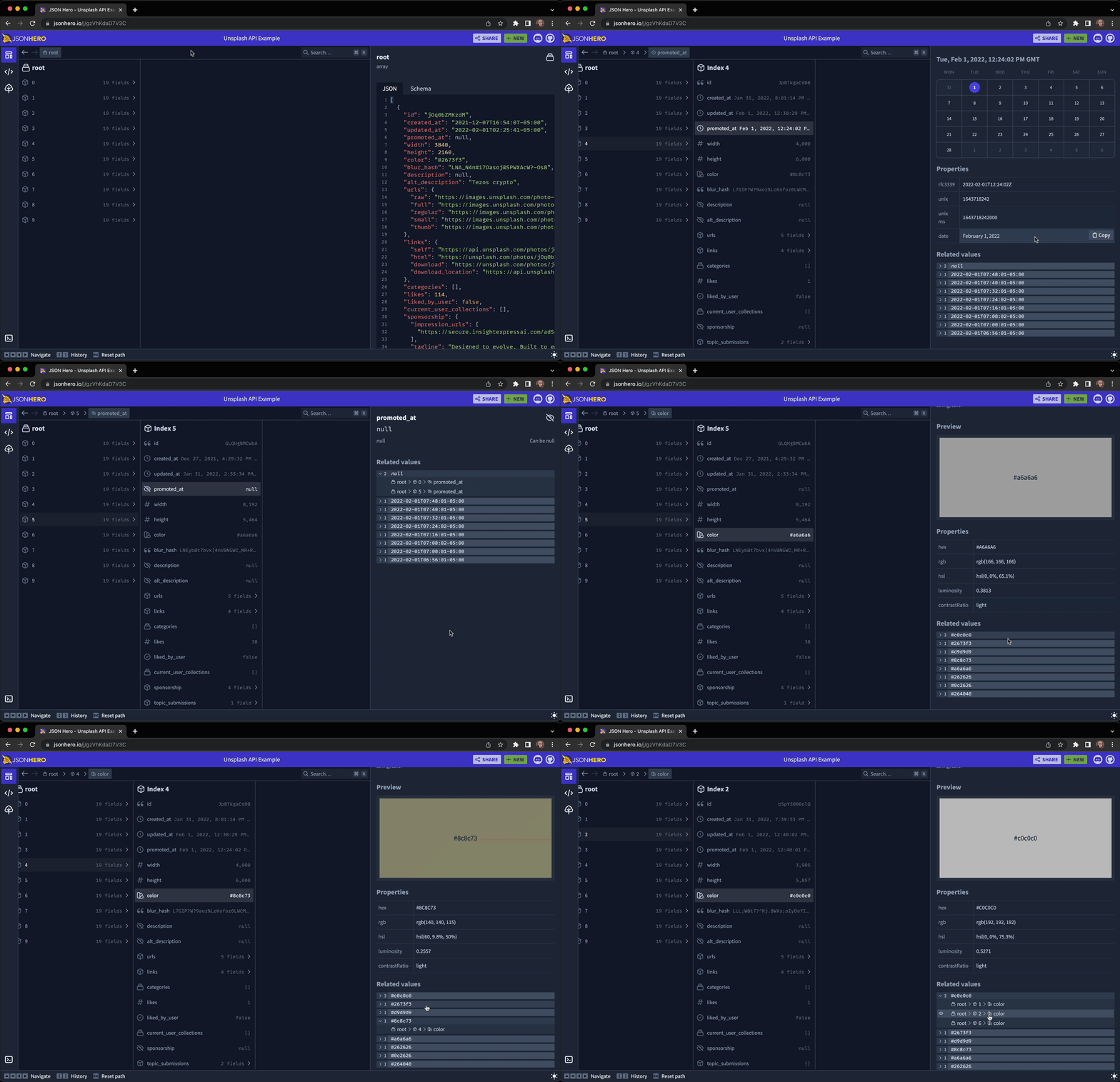
轻松查看整个 JSON 文档中特定字段的所有相关值,包括任何 `undefined` 或 `null` 值。
|
2023-11-29 18:17:07 +08:00
|
|
|
|
|
|
|
|
|
|
|
|
|
|
|
|
|
2025-07-03 11:40:55 +08:00
|
|
|
|
## 已知问题和功能请求
|
2023-11-29 18:17:07 +08:00
|
|
|
|
|
2025-07-03 11:40:55 +08:00
|
|
|
|
遇到已知问题或有功能请求?欢迎随时 [创建一个新的 Issue](https://github.com/triggerdotdev/jsonhero-web/issues)。
|
2023-11-29 18:17:07 +08:00
|
|
|
|
|
2025-07-03 11:40:55 +08:00
|
|
|
|
你还可以加入我们的 [Discord 频道](https://discord.gg/JtBAxBr2m3)来聊天和讨论任何你想讨论的内容。
|
2023-11-29 18:17:07 +08:00
|
|
|
|
|
2025-07-03 11:40:55 +08:00
|
|
|
|
## 开发中
|
2023-11-29 18:17:07 +08:00
|
|
|
|
|
2025-07-03 11:40:55 +08:00
|
|
|
|
要本地运行,首先克隆仓库并安装依赖:
|
2023-11-29 18:17:07 +08:00
|
|
|
|
|
|
|
|
|
|
```bash
|
|
|
|
|
|
git clone https://github.com/triggerdotdev/jsonhero-web.git
|
|
|
|
|
|
cd jsonhero-web
|
|
|
|
|
|
npm install
|
|
|
|
|
|
```
|
|
|
|
|
|
|
2025-07-03 11:40:55 +08:00
|
|
|
|
然后,在仓库根目录下创建一个名为 `.env` 的文件,并设置 `SESSION_SECRET` 的值:
|
2023-11-29 18:17:07 +08:00
|
|
|
|
|
|
|
|
|
|
```
|
|
|
|
|
|
SESSION_SECRET=abc123
|
|
|
|
|
|
```
|
|
|
|
|
|
|
2025-07-03 11:40:55 +08:00
|
|
|
|
然后,运行 `npm run build` 或 `npm run dev` 来构建。
|
2023-11-29 18:17:07 +08:00
|
|
|
|
|
2025-07-03 11:40:55 +08:00
|
|
|
|
现在运行 `npm start`,并在浏览器中打开 `http://localhost:8787`
|

